
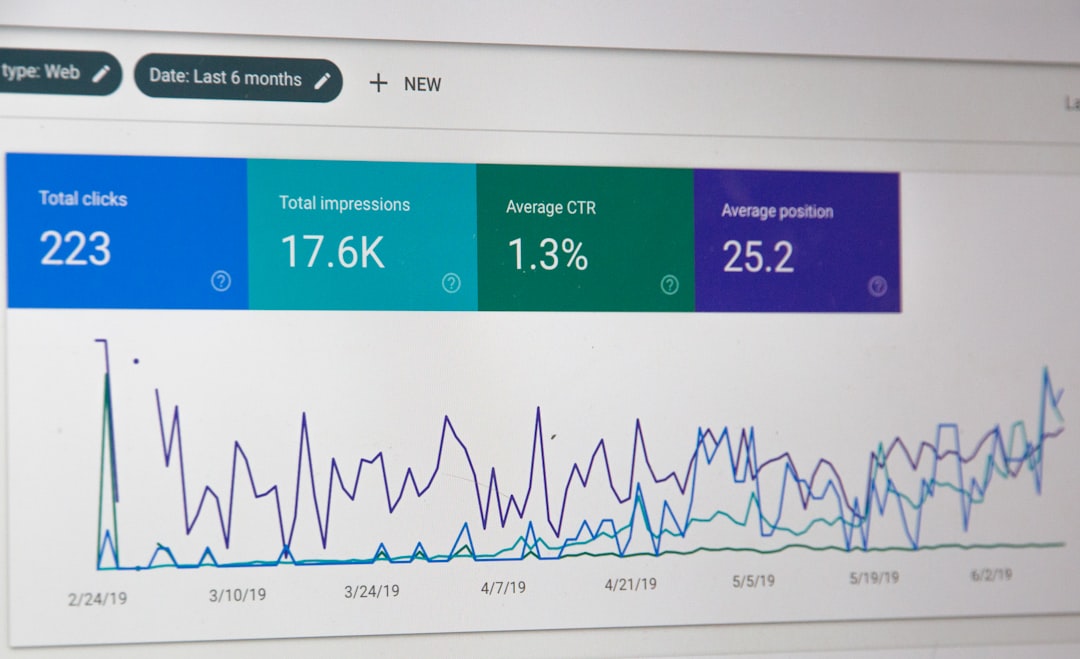
What Is Google Search Console and Why Does It Matter for Shopify?
If you're running a Shopify store and want more organic traffic, Google Search Console (GSC) is one of the most powerful free tools at your disposal. It gives you a direct window into how Google sees your store — what pages are indexed, which keywords bring visitors, and where technical issues might be holding you back.
In 2026, with search competition growing across every niche, ignoring GSC is simply leaving money on the table. The good news? You don't need to be a tech expert to use it effectively. This guide will walk you through everything you need to get started and start seeing real results.
How to Connect Google Search Console to Your Shopify Store
Before you can start analyzing data, you need to verify your Shopify store with Google Search Console. Here's how to do it step by step:
- Go to search.google.com/search-console and sign in with your Google account.
- Click Add Property and enter your Shopify store's full URL (e.g., https://yourstore.com).
- Choose the HTML tag verification method.
- Copy the meta tag code provided by Google.
- In your Shopify admin, go to Online Store → Themes → Edit Code, and paste the tag inside the
<head>section of your theme.liquid file. - Return to GSC and click Verify.
Once verified, Google will begin collecting data about your store. You may need to wait 24–48 hours before meaningful information starts appearing in your dashboard.
Understanding the Key Reports Inside Google Search Console
The GSC dashboard can look overwhelming at first, but you only need to focus on a few core reports to make a big impact on your Shopify SEO.
Performance Report
This is your most valuable report. It shows you which search queries are driving impressions and clicks to your store. Pay close attention to:
- Impressions: How many times your pages appeared in search results.
- Clicks: How many people actually visited your store from search.
- CTR (Click-Through Rate): The percentage of impressions that turned into clicks.
- Average Position: Where your pages rank on average for a given keyword.
Look for keywords where you have a high number of impressions but a low CTR. This usually means your title or meta description isn't compelling enough — a quick fix that can drive more traffic without needing to build new backlinks.
Coverage Report
The Coverage report tells you which pages Google has indexed and flags any errors. Common issues for Shopify stores include pages blocked by robots.txt, duplicate content from tag or collection pages, and 404 errors caused by deleted products. Fixing these errors ensures Google can properly crawl and rank your store.
Sitemaps
Shopify automatically generates a sitemap at yourstore.com/sitemap.xml. Submit this URL inside GSC under the Sitemaps section. This helps Google discover all your important pages faster, including product pages, collections, and blog posts.
Ready to start your Shopify store? Get 3 days free + 3 months for $1/month, plus a complete first-sales training — 100% free.
Start now — free training included3 days free · 3 months for $1/mo · Training included
How to Use GSC Data to Improve Your Shopify SEO
Now that you know where to find the data, here's how to actually use it to grow your organic traffic in 2026.
Find and Optimize Underperforming Pages
Filter the Performance report by page and look for product or collection pages that rank between positions 8 and 20. These pages are close to the first page of Google and just need a little push. Update their title tags, add more descriptive content, or improve internal linking to give them a boost.
Discover New Keyword Opportunities
Your Performance report will often reveal keywords you didn't even know you were ranking for. These hidden gems can inspire new product descriptions, blog content, or collection page copy that targets exactly what your potential customers are searching for.
Fix Mobile Usability Issues
Google's ranking algorithm heavily prioritizes mobile-friendly experiences. Check the Mobile Usability report in GSC to identify any pages with tap targets that are too small, text that's too small to read, or content that doesn't fit the screen. Fixing these issues can directly improve your rankings.
Monitor Core Web Vitals
The Core Web Vitals report measures your store's loading speed, interactivity, and visual stability. In 2026, these metrics remain a confirmed Google ranking factor. If your scores are in the red, consider compressing images, reducing app bloat, or switching to a faster Shopify theme.
Make Google Search Console Part of Your Monthly Routine
The biggest mistake beginners make is setting up GSC and then forgetting about it. To see real, lasting improvements in your Shopify store's SEO, schedule a monthly check-in where you review your Performance report, check for new coverage errors, and track whether your optimizations are moving the needle.
Even spending just 30 minutes per month inside Google Search Console can uncover opportunities that help you outrank competitors and bring in more customers — completely for free. Start simple, stay consistent, and let the data guide your decisions.
Ready to start your Shopify store? Get 3 days free + 3 months for $1/month, plus a complete first-sales training — 100% free.
Start now — free training included3 days free · 3 months for $1/mo · Training included
Frequently Asked Questions
- How long does it take for Google Search Console data to show up after connecting my Shopify store?
- It typically takes 24 to 48 hours for initial data to appear, but some reports like Performance may take a few days to populate with enough information to be useful.
- Does Google Search Console directly improve my Shopify store's rankings?
- GSC itself doesn't change your rankings, but the insights it provides help you make smart optimizations — like fixing errors, improving content, and targeting better keywords — that do lead to higher rankings over time.
- Can I use Google Search Console if my Shopify store is brand new?
- Absolutely. You should set it up as early as possible. Submit your sitemap right away so Google can start discovering and indexing your pages from day one.
